Training
How to add real interaction to Zoom training sessions (beyond polls)
Zoom Polls have four options and data that disappears after the session. Questiory adds word clouds, radars, flip cards and collective visualizations directly to any Zoom training — no app, no account for participants.
Zoom Polls work. They’re fine. You get four options, participants click one, and a bar chart appears. Then the session moves on and the data goes to a report nobody reads.
What Zoom Polls can’t do is show the group thinking out loud. They can’t surface the range of what 60 people believe about a topic — only the distribution across the four options you predicted in advance. They can’t collect nuanced responses. They can’t build a word cloud from what people actually care about, or visualize collective confidence as a gauge that the whole group watches shift in real time.
Training works best when learners see that their response contributes to something — not just to a bar that might move a percentage point. The moment a participant submits an answer and watches it appear in a word cloud alongside their colleagues’ thinking, the nature of participation changes. They weren’t filling in a form. They were contributing to the picture.
Questiory adds that layer to any Zoom session. You share a link in the chat. Participants open it in their browser. You project the results. The whole setup takes seconds.
What you can add to any Zoom training
What participants do
 Open-Ended
Their words, not your options. Captures the real range of thinking in the group.
Open-Ended
Their words, not your options. Captures the real range of thinking in the group.
 Long Answer
Deeper reflection — works well for case study debrief or post-module application questions.
Long Answer
Deeper reflection — works well for case study debrief or post-module application questions.
 Multiple Choice
Same format as Zoom Polls, but with richer visualizations and persistent data.
Multiple Choice
Same format as Zoom Polls, but with richer visualizations and persistent data.
 Valuation
Rate on a scale. Perfect for confidence checks, alignment reads, or before/after comparisons.
Valuation
Rate on a scale. Perfect for confidence checks, alignment reads, or before/after comparisons.
 Categorize
Participants sort responses into categories you define. Great for taxonomy and prioritization exercises.
Categorize
Participants sort responses into categories you define. Great for taxonomy and prioritization exercises.
 This or That
A fast binary split. Show where the group divides on a decision or approach.
This or That
A fast binary split. Show where the group divides on a decision or approach.
 Multi Entry
Multiple answers from each participant. "List three things you'd apply from today's session."
Multi Entry
Multiple answers from each participant. "List three things you'd apply from today's session."
 Iconic Answer
Choose an icon or emoji. Low friction, high signal — works as a quick pulse at any point in the session.
Iconic Answer
Choose an icon or emoji. Low friction, high signal — works as a quick pulse at any point in the session.
What the group sees
 Word Cloud
The group's thinking made visible. Words grow with frequency — instantly readable, always surprising.
Word Cloud
The group's thinking made visible. Words grow with frequency — instantly readable, always surprising.
 Sentence Cloud
Full responses as floating phrases. Captures nuance beyond single-word answers.
Sentence Cloud
Full responses as floating phrases. Captures nuance beyond single-word answers.
 Flip Cards
Each response becomes a card the group can browse — great for peer reflection and longer answers.
Flip Cards
Each response becomes a card the group can browse — great for peer reflection and longer answers.
 Gauge
A circular scale showing the group's average rating. Instantly readable confidence and alignment check.
Gauge
A circular scale showing the group's average rating. Instantly readable confidence and alignment check.
 Radar
Multiple dimensions rated at once — perfect for competency self-assessments and multi-factor alignment checks.
Radar
Multiple dimensions rated at once — perfect for competency self-assessments and multi-factor alignment checks.
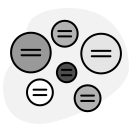 Nodes
Categorized answers as an interactive network — patterns emerge from the group's collective sorting.
Nodes
Categorized answers as an interactive network — patterns emerge from the group's collective sorting.
 Board
All responses as a pinboard. Good for open questions where you want to see the full landscape at once.
Board
All responses as a pinboard. Good for open questions where you want to see the full landscape at once.
 Bar Chart
Live distribution for choice and rating questions. Familiar format, richer than Zoom's native chart.
Bar Chart
Live distribution for choice and rating questions. Familiar format, richer than Zoom's native chart.
The difference from Zoom Polls
Zoom Polls require you to write the options before the session. You predict what people will answer, and they pick from what you imagined. The data disappears when the session ends unless you download the report — which then sits in a folder.
Questiory captures what people actually think, in their own words, visualized in a way that the whole group can see together. The trainer shares their screen. The word cloud fills as participants respond. The room watches it happen.
And the data stays. If you run the same training next month, you can compare how this cohort responded to how the previous one did. If you run it six times a year, you build a picture of how understanding evolves across cohorts. That’s not possible with Zoom Polls.
Works at any session size
Ten participants in a team training. Sixty in a company-wide compliance session. Two hundred in a virtual summit. The mechanics are the same: one link in the chat, everyone opens it in their browser, everyone responds.
The larger the group, the more the collective visualization earns its place. A word cloud from 200 participants is one of the most striking things you can show a room — and one of the most efficient ways to read what 200 people are thinking at once.
Data that stays after the session
Zoom’s polling report requires an export. It’s a CSV that captures counts, not responses — and only if you remember to download it.
Questiory keeps all responses permanently in your dashboard. After the session, you can review every answer, filter by question, see the visualizations again, and export in the format your report needs. If you’re a corporate trainer who needs to demonstrate learning effectiveness to an L&D Manager or a CLO, this data is the evidence.
Add to Zoom in 3 steps
- Build your activity in Questiory — create an experience, add your questions, choose your visualizations. Takes minutes.
- Copy the participation link — one click from the Questiory dashboard.
- Paste the link in the Zoom chat when you reach the activity. Ask participants to open it. Share your screen to show the results as they come in.
No app install. No Zoom integration. No account for participants.
Your next Zoom training doesn't have to feel like a webinar
Add real participation to your sessions
Build your first activity in minutes. Participants just click the link — no account, no install.
Get started for free