Learn
How to view the responses of an experience
Where responses go after your session, how to find them, and what to look at when you want to make sense of what your group said.
Responses are stored automatically as participants submit them.
View responses
Open the presentation from your dashboard and navigate to any interaction. On the configuration panel on the right, you’ll find a Responses tab showing how many responses that interaction has received. Both the Responses icon in the toolbar and the Moderate answers button take you to the same screen.
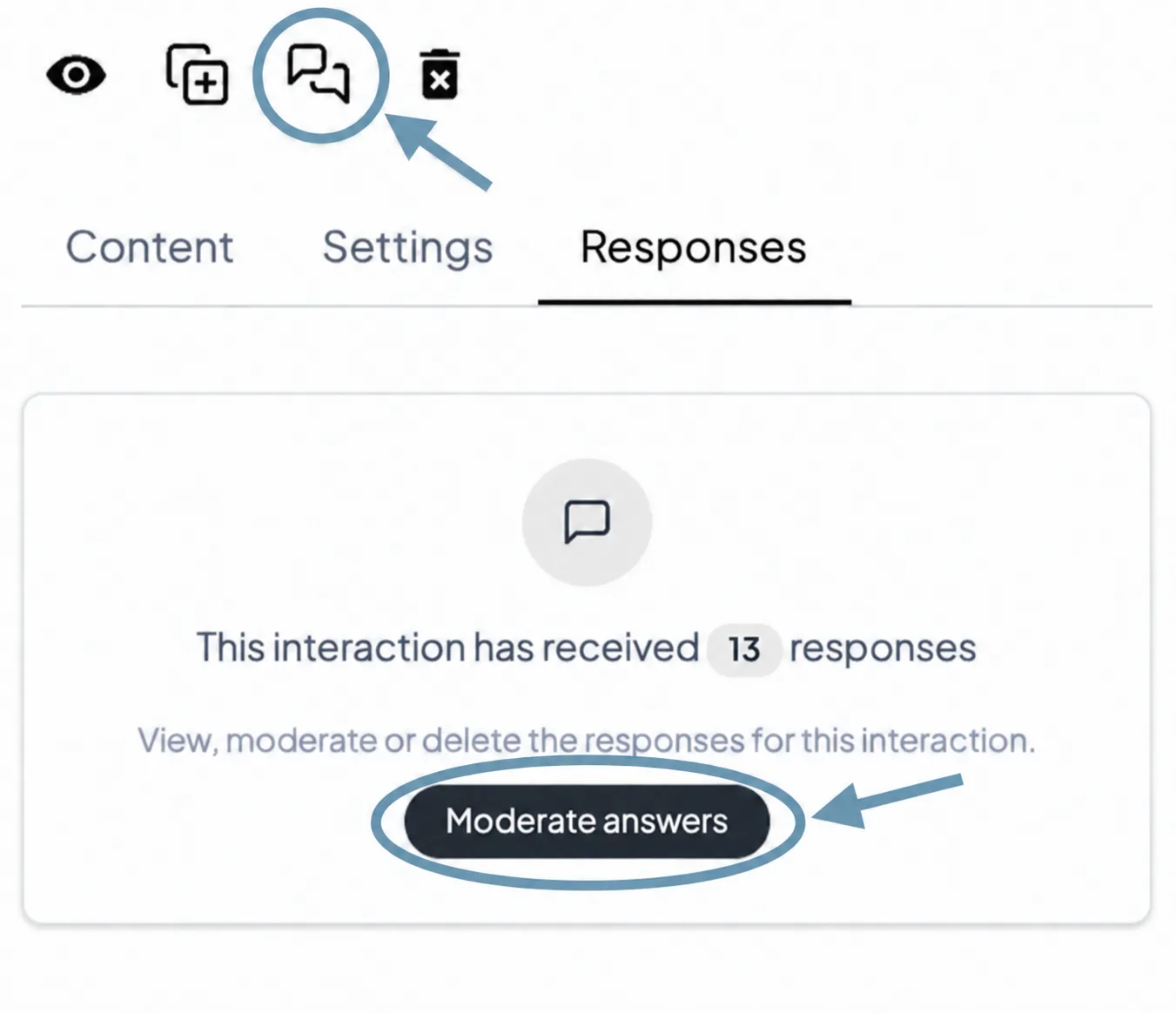
Moderate answers
Clicking Moderate answers opens a table with all the responses for that interaction.
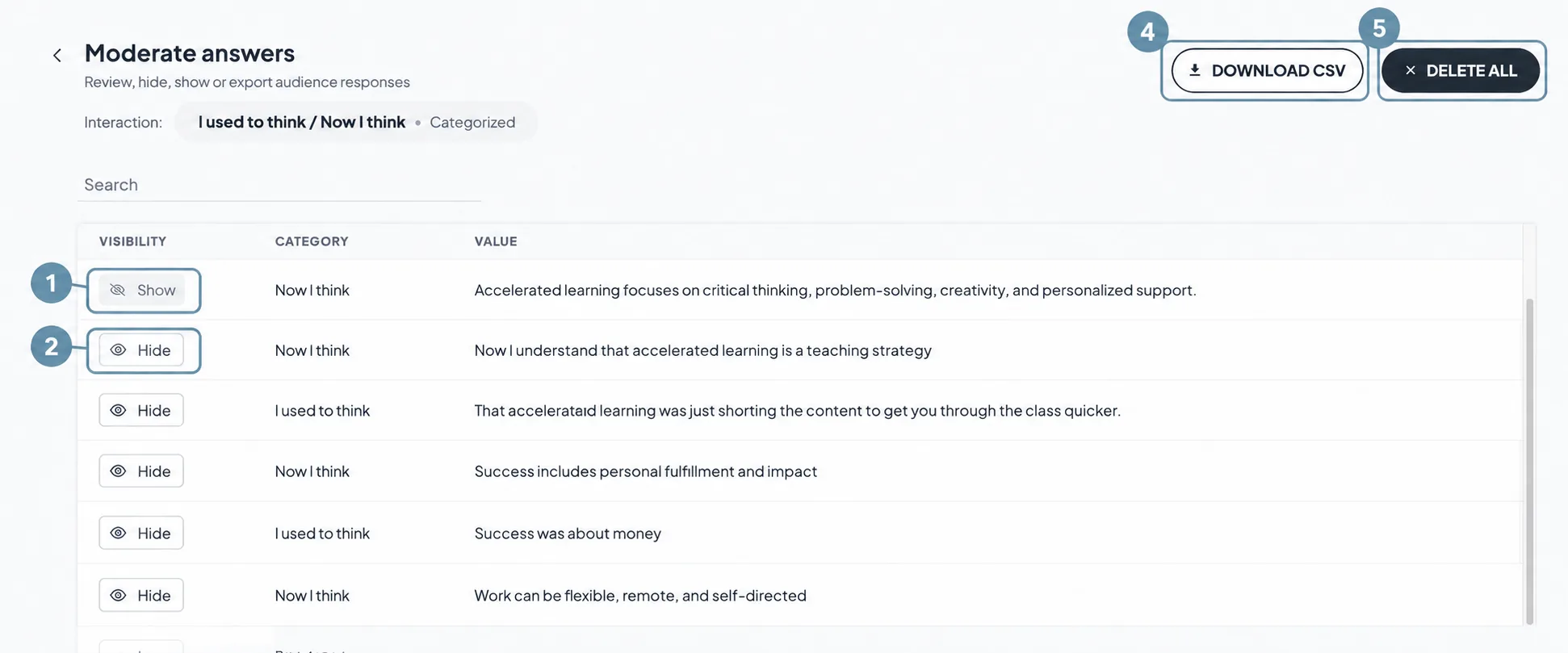
Each column and control gives you a different way to manage what participants submitted:
- Show — this response is currently visible in the visualization. Click to hide it.
- Hide — this response is hidden from the visualization. Click to show it again. Hidden responses are still stored and can be restored at any time.
- Download CSV — exports all responses for this interaction as a spreadsheet file.
- Delete all — permanently removes all responses for this interaction. This can’t be undone.
Other resources that may be of interest

Common questions about responses
Are responses anonymous?
Yes. Questiory doesn't collect names or personal identifiers. Each participant does get a unique participation ID for that presentation, which makes it possible to link their responses across different slides or interactions, but that ID is not tied to any personal information.
Can I see responses in real time during a session?
Yes. Open the presentation view while the session is running and the visualizations update live as responses come in.
Can I access responses after the session ends?
Yes. Responses are stored in your account and available at any time, whether the session ended minutes or weeks ago.
Can I export the responses?
Yes. From the Moderate view, click Download CSV to export all responses for that interaction.
Can I hide a response without deleting it?
Yes. From the Moderate view, use the Hide / Show toggle on each response. Hidden responses don't appear in the visualization but are still stored and can be shown again at any time.
Can I delete all responses and start fresh?
Yes. From the Moderate view, click Delete all. Keep in mind this can't be undone.
Why can't I see responses in the visualization?
Check your Presentation settings. If Manually approve participations before display is enabled, responses are held until you approve them. Go to the Moderate view to review and approve them so they appear in the visualization.
Why can't I see responses in my presentation?
The interaction may not have a visualization connected to it yet. Visualizations are what display the collected responses on screen. Check that your interaction has a visualization set up.